
Enlarge a photograph by 2× or 4×
Increase image dimensions with the enhancement service, choosing the scale according to the source size and output limits.
Open service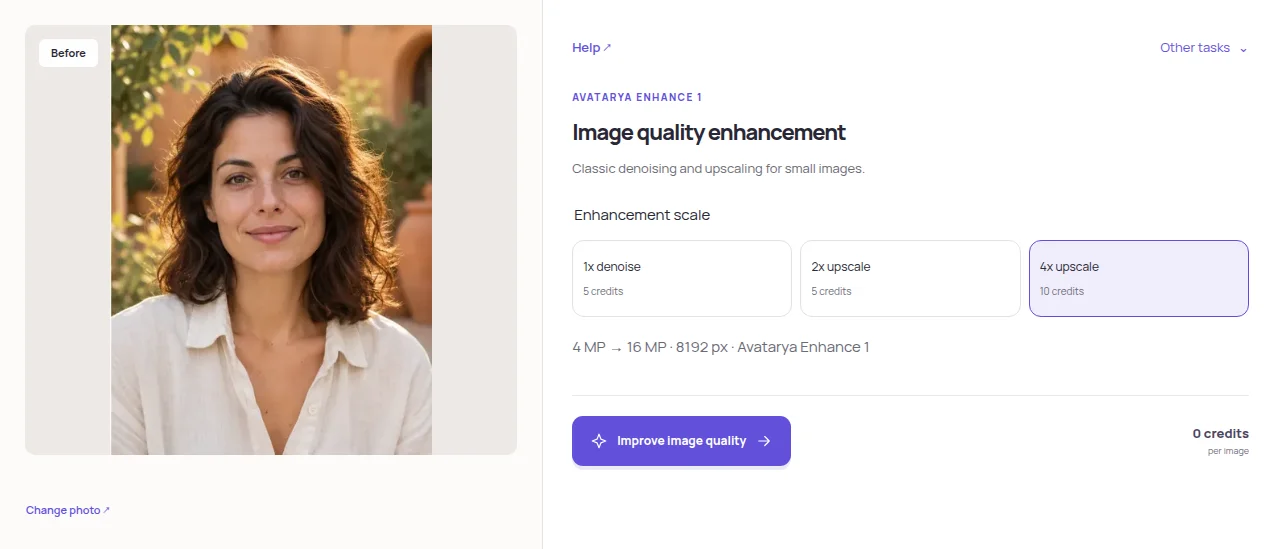
Open the enlargement mode
Choose Image enhancement and upload a clear original. Files must stay within 20 MB and 1 MP. A tiny compressed preview will limit the useful detail.
Choose 2× or 4×
The scale multiplies width and height, not just the total pixel count. A 4× result has 16 times as many pixels. The result must stay within 4 MP and 8192 pixels on its longest side.
Check price and limits
The current cost is 5 credits for 2× and 10 for 4×. Read the validation message if the chosen scale is too large; choose a smaller scale or a smaller source.
Inspect the enlarged image
Start enhancement and compare the result at 100% zoom. Check lettering, skin texture and thin lines, then download JPG. Choose the enlargement that looks useful rather than automatically selecting the largest file.
Practical tips
Increasing the pixel count does not guarantee genuine detail. For document-photo printing, also check the required physical size and effective source resolution.