
Create a pack of 4 emotion stickers
Turn one portrait into 4 coordinated stickers with different emotions and real transparency.
Open service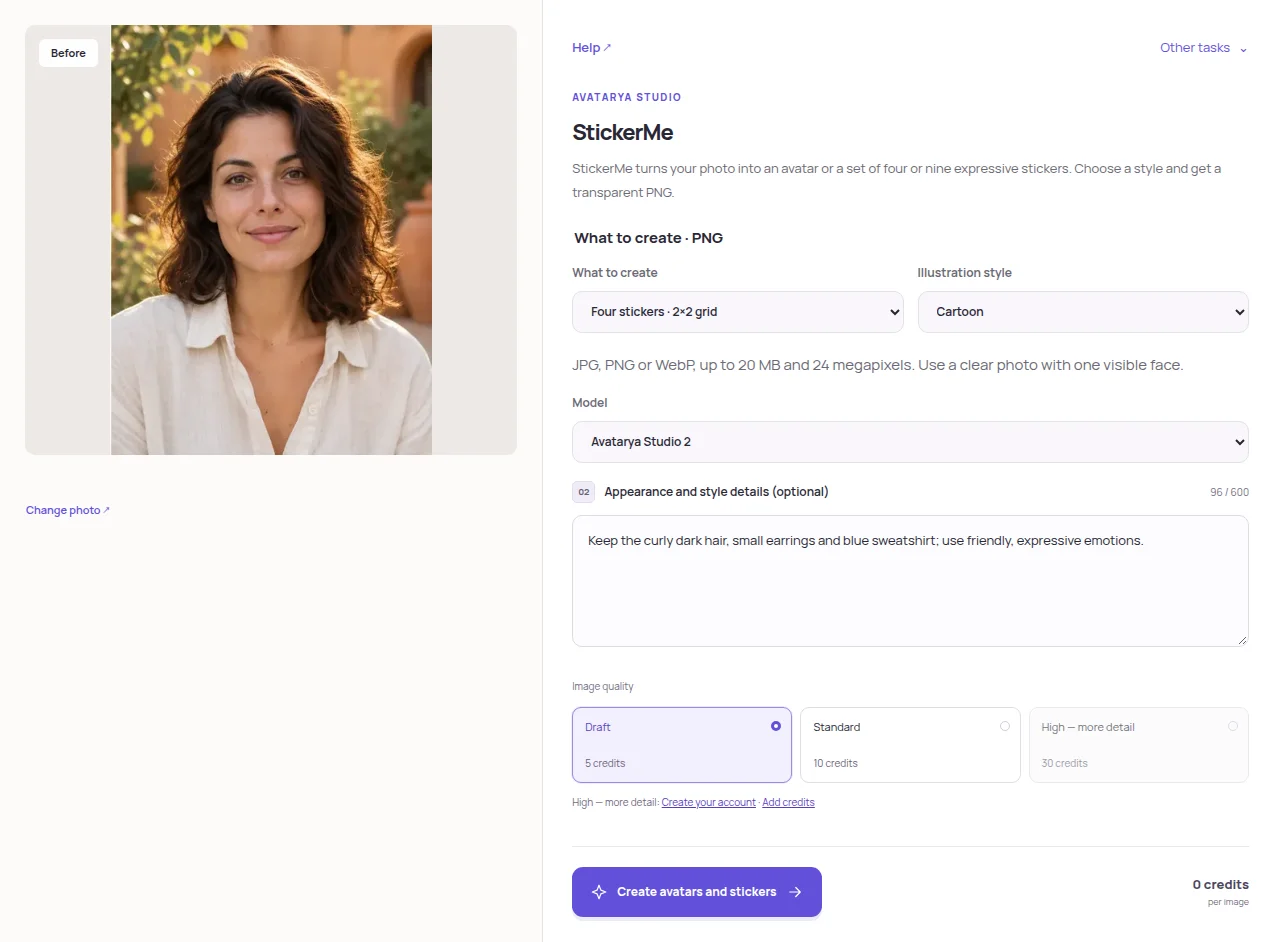
Choose a portrait
Open StickerMe and choose a clear photo with one visible face. Supported files are JPEG, PNG and WebP up to 20 MB and 24 MP. Avoid a face hidden by objects or cropped at the edges.
Set the sticker format
Under What to create, choose 4 stickers. Select cartoon, comic or 3D style. Optional notes can contain up to 600 characters; describe the clothing, accessories and appearance details you want to keep.
Choose quality and create
Choose the model and quality and check the credit price before starting. The requested output is a square 1024×1024 PNG with real transparency. Trial and promotional-credit images may include a watermark.
Download the result
Download the 2×2 PNG sheet or the ZIP archive of 4 individual stickers. Inspect the individual files as well as the sheet. Check recognisability, facial expressions, outlines and transparent gaps before adding the stickers to a messenger.
Keep the curly dark hair, small earrings and blue sweatshirt; use friendly, expressive emotions.
Practical tips
More stickers share the same sheet area, so each face has less space. Higher quality may help fine details, but inspect the actual result. Messenger upload requirements are separate from downloading the files.